
gemini-3
Gemini 3 Context Caching: A Practical Decision Guide
Gemini3 Team · October 14, 2026 · 7 min read
Keywords: gemini-3, gemini-api, context-caching
Published: October 14, 2026 Author: Gemini3 Team
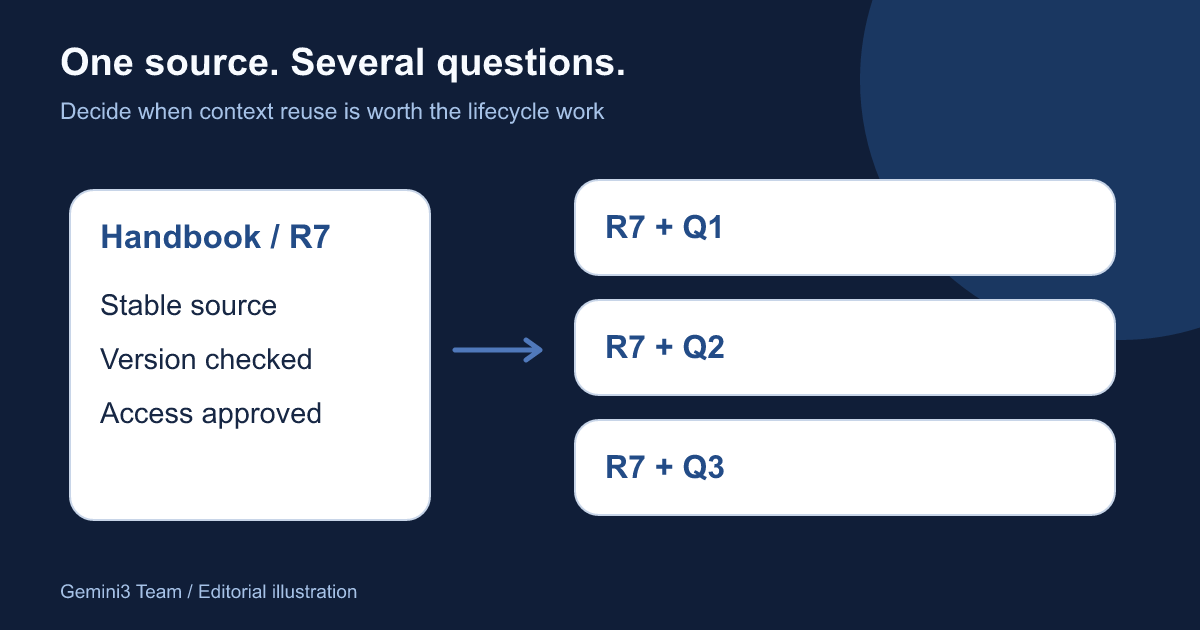
Repeated input is the signal to investigate
Suppose your team asks twenty different questions about the same product handbook. Sending the full handbook with every request may repeat a large amount of input. Context caching is worth investigating when the shared material is substantial, stable and reused. It is less compelling when every request uses a different short document.
This guide offers a decision process for Gemini API users, with an original handbook scenario and editorial diagrams. It does not report measured savings, promise faster responses or describe a caching switch inside MidassAI Chat. A third-party chat service may implement its own context handling; verify its documented behavior separately.
First choose the API you actually use. Google's current Interactions caching documentation describes implicit caching. Its generateContent caching documentation also describes explicit cache objects for supported Gemini 3 and 2.5 models. Do not copy explicit-cache instructions into an Interactions integration.
What should stay the same between questions?
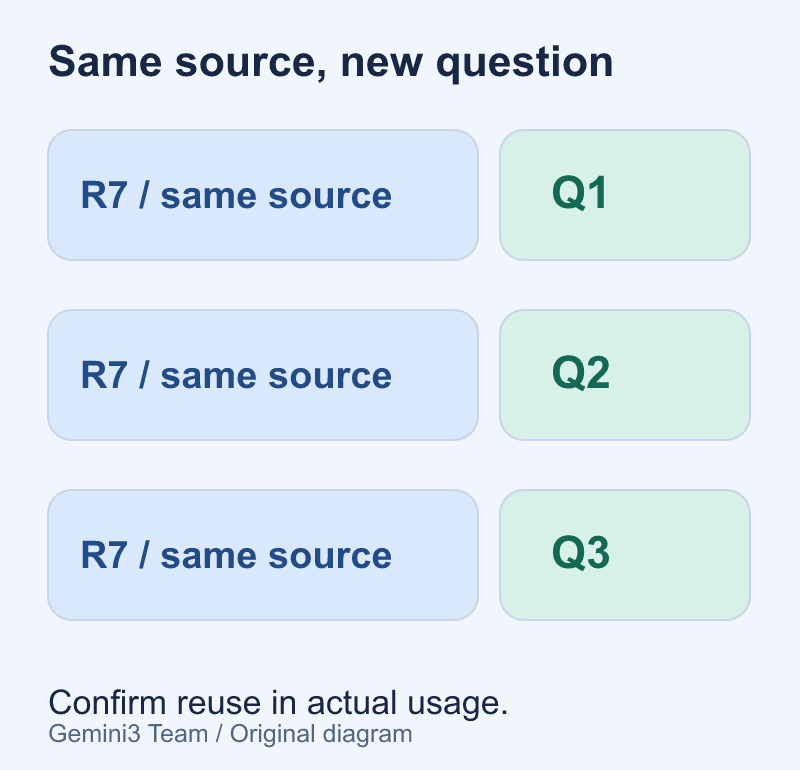
In the illustration, the blue block is the same handbook revision. The three smaller blocks are different questions. This is the pattern to look for: common material first, task-specific material afterward. The diagram explains request organization, not a guarantee that a request will hit an implicit cache.
An effective shared context is a deliberate package: the handbook text, a version identifier and the instructions that genuinely apply to every question. Avoid placing a changing timestamp, random identifier or unrelated greeting in front of the stable material. Keep application logging identifiers outside the model input when they serve no reasoning purpose.
Before optimizing, answer three questions. Does the source change during the session? Does every user have permission to use the entire package? Can your application trace each answer back to the source revision? If any answer is unclear, fix source selection and access controls before trying to reduce repeated tokens.
Two mechanisms, different responsibilities
| Question | Implicit caching | Explicit caching |
|---|---|---|
| Who manages the cache object? | No object to create in your application | Your application creates and references a cache |
| Is reuse guaranteed by a similar prompt? | No; inspect actual usage | Verify the cache reference and returned usage |
| Which API path matters here? | Follow the current API's caching guide | Use supported generateContent models and methods |
| What must you plan? | Stable shared prefixes and measurement | Source versions, expiry, cleanup and total cost |
Google's documentation says implicit caching is enabled by default for Gemini 2.5 and newer models, subject to model-specific input thresholds. It recommends placing common material early and sending similar prefixes close together. The threshold is a token count, not a word count or file-size estimate. Look up the exact supported model instead of assuming every Gemini 3 variant has identical limits.
Explicit caching adds lifecycle work. The current generateContent guide describes a default TTL of one hour when no duration is specified, and distinguishes stored-token duration from cached-input and other request charges. These are API behaviors, not a guarantee about your final bill. Recheck the relevant model and API documentation before implementation.
A handbook session with a clear end
Here is a reproducible planning example, not a recorded production experiment. The team has handbook revision 7, expects a short review session and wants answers to three questions: what changed in onboarding, which exceptions need approval and where the escalation procedure appears.
For implicit caching, organize each request around the same stable source prefix and vary the question afterward. Record returned usage for each response. Similar input is an opportunity for reuse; only actual usage can tell you what happened.
For explicit caching on a supported generateContent integration:
- Prepare a clean, approved handbook revision and count its tokens with the appropriate tooling.
- Verify the model's cache support and limits before creating a resource.
- Create a cache with a deliberately chosen lifetime and save its identifier, model and source revision.
- Reference that cache for the questions, keeping the selected model consistent with the cache.
- Record returned usage and review the answers against the handbook.
- Delete the cache when the review ends, or let the chosen expiry handle the planned lifetime.
The application must implement these steps; a natural-language prompt cannot create or manage a cache by itself. Keep API credentials on the server and outside articles, client-side code and analytics logs.
Version changes require a new decision
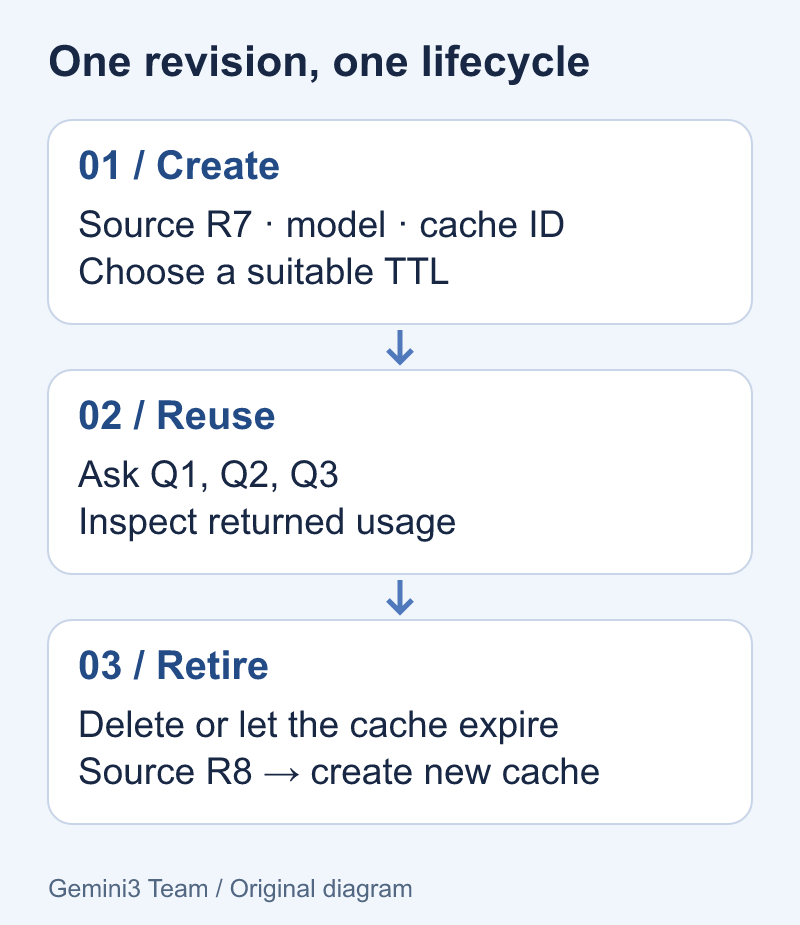
The lifecycle illustration shows a revision change as a branch, not as an in-place content edit. Google's generateContent guide allows updating expiry or TTL, but not the cached content itself. If handbook revision 8 changes the answer, build a new approved context and stop routing new questions to the old revision.
A useful application record associates the cache identifier with a source checksum, exact model, creation time, expiry and access scope. This is an application bookkeeping recommendation, not a list of fields promised by the Gemini API. Never assume a human-readable display name uniquely identifies the right document.
Also separate cache cleanup from document retention. Deleting a cache is not evidence that every uploaded source file, local copy or log has been deleted. Apply your own retention rules to each location. The documentation permits retrieving cache metadata, not reading the stored content back as a document archive, so keep your authoritative source under your existing controls.
Compare the full workload, not one attractive number
Use a small evaluation sheet before deciding whether to retain an explicit cache. Hold the source revision, questions and model constant. Record the session duration and actual usage rather than inventing a discount percentage.
| Record | Why it matters |
|---|---|
| Exact API, model and source revision | Keeps two trials comparable |
| Number of questions actually asked | Measures reuse rather than expected demand |
| Cached and uncached input usage | Shows where reuse occurred |
| Output usage | Capturing input does not remove output work |
| Cache lifetime and storage charges | Long idle periods can change the result |
| Answer checks and failures | Lower cost is not useful if the wrong revision answers |
Calculate the total with the current billing terms for your account, model and API. Include cache creation or input processing charges where applicable, storage duration, uncached question tokens and generated output. Compare that total against the same workload without an explicitly managed cache. Implicit reuse may affect the baseline too, so do not label a baseline “uncached” without inspecting its actual usage.
This article deliberately supplies no current price table: pricing and model availability can change independently of the workflow. Use the official pricing page for the amounts that apply when you run your evaluation.
Recognize when caching is the wrong next step
A one-off short question, a constantly changing source bundle or a project without a reliable document version map may gain more from better input selection. Remove irrelevant pages, split independent tasks and test answer quality first. Do not pad a prompt merely to cross a cache threshold; that changes the workload and can defeat the purpose of the optimization.
If a cache expires mid-session, handle the failure explicitly. Reload the intended source revision and recreate the resource only if the remaining work justifies it. Do not silently substitute another document or keep retrying the same expired reference. Preserve the question so the user can recover without guessing what was lost.
Finally, caching reuses input; it does not validate the answer or increase the context window beyond the model's limits. For outputs another program must consume, pair the reuse plan with a structured-output validation workflow. A well-organized source and a checked result solve different parts of the same reliability problem.